
Explore the latest computers from trusted brands
Stay productive with laptops, desktops, tablets and more.







FAQs
What is the difference between a laptop and a desktop computer?
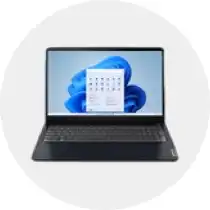
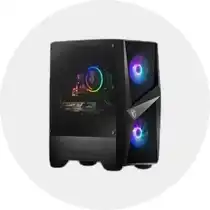
The main difference between a laptop and a desktop computer is how they are set up and their portability. A laptop is designed to be portable and an all-in-one device. It has built-in components like a screen, keyboard and battery so it can be used on the go, in an office, or in different rooms around your house. Desktops are typically larger than laptops and are built to be powerful, stationary computers with external components like a computer monitor, keyboard and mouse needed to operate them. With both laptops and desktops, you can connect a wide range of computer accessories like PC speakers, headsets and webcams for handling virtual calls and meetings.
How to choose a new computer?
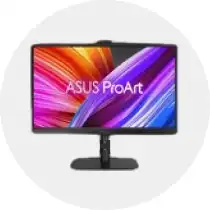
When you’re choosing a new computer, start by considering how you’re going to use it. If you plan to use it for daily tasks like web browsing, checking emails or writing/editing documents, a standard laptop or desktop will be able to handle that. If you like to play video games or do creative work like graphic design or video editing, you’ll want a computer with a powerful processor, more RAM and a high-performance graphics card. A gaming desktop or gaming laptop is a great option for those who need the power and performance to play the latest video games. You should also consider features like battery life and storage, whether it’s a hard drive or SSD (solid state drive). When you have found the computer that best fits your needs, make sure your workspace is set up so you can be as productive as possible. Connect your computer to a new monitor like an ultrawide monitor, gaming monitor or 4K monitor that can deliver an immersive viewing experience. Reduce eye and neck strain by getting a monitor stand or a standing desk that can keep your screen at eye level. Also, consider getting a supportive task chair that provides lumbar support to make long work days more comfortable.
What is the difference between a Mac and a PC?
The main difference between a Mac and a PC is with the operating system that they both use. Mac computers like the iMac, MacBook Air and MacBook Pro use Apple’s macOS. They have sleek designs and user-friendly interfaces for users and they provide easy integration with Apple devices like iPads and iPhones. They tend to be the preferred option for creative work like graphic design, video editing and music production. Most PCs usually run on Windows, they can come in a wide range of models and price points. PCs are known for being compatible with different kinds of software. They are easy to customize and upgrade because there are more available computer parts. They can be built to a user’s exact specifications for gaming and professional use.
How to transfer photos to a computer?
If you want to transfer photos to your computer, start by connecting your camera or smartphone with a USB cable. With Windows computers, you can open the Photos app and click Import to start transferring your photos. You can also use File Explorer to drag and drop files directly from your device to your computer. If you have a MacBook or iMac, you can use iCloud Photos or the Photos app to import your photos and videos from your phone onto your computer.
How to take a screenshot on a computer?
To take a screenshot with a Windows laptop or Windows desktop, press Windows Key, Shift and S to open the Snipping Tool for selecting specific areas. You can also press the Windows Key and PrtScn to save a full-screen image in your Screenshots folder. If you have a MacBook or iMac, press Command, Shift and 3 to take a full screen screenshot and press Command, Shift and 4 to take a screenshot of a specific area.